
Using a Deepweb Browser: A How-To Guide
This guide is for small business owners and individuals seeking practical steps for secure deep web access.
$ dark web- Deep Web Safety Checklist for Small Businesses
- Understanding the Deep Web vs. Dark Web for Business Security
- Selecting and Installing a Deep Web Browser (Tor)
- Configuring Your Environment for Secure Deep Web Access
- Navigating the Deep Web Safely: Essential Practices
- Identifying Legitimate Deep Web Resources for Business Intelligence
- Threat Intelligence and Research for Small Businesses
- Legal Considerations and Ethical Guidelines for Deep Web Use
- Common Mistakes and Misconceptions
- Conclusion
- FAQ
- Where this comes from
A deep web browser, like Tor Browser, allows access to content not indexed by standard search engines, which constitutes 90–95% of internet content [1, 2]. This includes private intranets, commercial databases, and the dark web [2, 3]. We recommend using Tor Browser for secure deep web access.
Deep Web Safety Checklist for Small Businesses
| Setup | In-Session Precautions | Post-Session Cleanup |
|---|---|---|
| Verify Tor Browser signature | Set security level to 'Safest' | Clear browser history |
| Consider using Tails OS | Disable JavaScript | Delete downloaded files |
| Turn off WebRTC | Avoid resizing browser window | Uninstall unnecessary extensions |
| Create 'Rules of Engagement' | Use reputable resources | Conduct security audit |
Understanding the Deep Web vs. Dark Web for Business Security
The Deep Web and Dark Web are distinct segments of the internet, each serving different purposes. Understanding these differences is essential for small businesses aiming to protect their data and maintain competitive intelligence.
The Deep Web encompasses 90-95% of internet content, consisting of unindexed resources not accessible via standard search engines. This includes private intranets, commercial databases, and other legitimate content requiring authentication [1, 2]. Examples of valuable Deep Web resources for businesses include patent databases, regulatory filings, and reputable market research portals[1]. Accessing these resources can provide insights into industry trends and competitor activities.
In contrast, the Dark Web is a smaller portion of the Deep Web, comprising less than 1% of online content[2]. It is intentionally hidden and requires specific tools, such as the Tor Browser, to access[3]. The Dark Web is known for its anonymity and can host both legitimate and illicit activities. While it can offer opportunities for threat intelligence, it also poses significant risks. Engaging with threat actors on the Dark Web without proper operational security (OPSEC) can jeopardize your organization[4].
For small businesses, understanding these distinctions is crucial. It helps in formulating strategies to safeguard proprietary data and conduct competitive analysis without exposing the company to unnecessary risks. Establishing 'Rules of Engagement' or a compliance program can provide guidelines for navigating the Dark Web safely[5]. This is particularly important when considering the use of anonymity tools, as improper usage may lead to data leaks or legal issues.
By recognizing the differences between the Deep Web and Dark Web, small businesses can make informed decisions about their online activities, enhancing their cybersecurity posture and protecting sensitive information.
Selecting and Installing a Deep Web Browser (Tor)
To access the deep web securely, the Tor Browser is the recommended choice. Here’s a step-by-step guide for downloading and installing it from the official source.
Step 1: Download the Tor Browser
Visit the official Tor Project website: torproject.org.
Select the appropriate version for your operating system: Windows, macOS, Linux, or Android[6].
Click the download link to get the installation file.
Step 2: Verify the Download
Before installation, it’s crucial to verify the authenticity of the downloaded file. This prevents the risk of installing malicious software.
On the download page, find the signatures and keys section.
Download the corresponding signature file for your version.
Use a tool like GnuPG to verify the signature[6]. Detailed instructions are available on the Tor website.
Step 3: Install the Tor Browser
Locate the downloaded file and open it.
Follow the installation prompts. Choose the default settings for a standard installation.
Once installed, launch the Tor Browser.
Step 4: Initial Setup Configurations
For enhanced privacy, it is essential to adjust several settings in the Tor Browser:
Set the security level to 'Safest' by clicking on the shield icon. This will disable JavaScript and certain features that could compromise anonymity[7].
Access the settings through
about:configand disable JavaScript completely. Alternatively, you can use the NoScript extension for more control[7].Turn off WebRTC to prevent potential IP leaks[7].
Avoid resizing the browser window, as this can lead to fingerprinting[7].
Additional Tips
Consider using a VPN in conjunction with the Tor Browser for an added layer of security.
If you require a more secure environment, explore using Tails OS, which operates entirely in memory, ensuring no traces are left behind[7].
Following these steps will help ensure a secure and private experience while browsing the deep web. Always remain cautious and informed about the risks associated with accessing these hidden parts of the internet.
Configuring Your Environment for Secure Deep Web Access
Using a VPN alongside Tor Browser significantly enhances your online privacy and security. A VPN encrypts your internet traffic, masking your IP address from potential snoopers. This is particularly important for small businesses that may be accessing sensitive information on the deep web.
How a VPN Works with Tor
When you connect to a VPN, your internet traffic is routed through a secure server before it reaches the Tor network. This adds an extra layer of anonymity. Your internet service provider (ISP) cannot see that you are using Tor, and the Tor exit nodes cannot see your real IP address. This two-layer protection is beneficial, especially when dealing with sensitive business data.
Benefits for Small Businesses
Enhanced Privacy: A VPN prevents your ISP from monitoring your online activities.
Improved Security: VPNs encrypt your data, protecting it from interception.
Access to Restricted Content: Some regions may block access to Tor; a VPN can bypass these restrictions.
Basic VPN Setup Instructions
Choose a Reliable VPN Provider: Look for one with strong encryption, a no-logs policy, and good customer reviews.
Download and Install the VPN Software: Follow the provider’s instructions for installation on your device.
Connect to the VPN: Launch the VPN application and select a server location. Ensure you are connected before opening Tor.
Configure VPN Settings: Enable features like a kill switch, which disconnects your internet if the VPN fails.
Best Practices for Combining VPN and Tor
Use a Trustworthy VPN: Research providers that do not log your activities.
Set Tor to ‘Safest’ Level: This minimizes potential vulnerabilities by disabling JavaScript and blocking certain plugins[7].
Turn Off WebRTC: This prevents IP leaks that could compromise your anonymity[7].
Avoid Resizing Your Browser Window: This can lead to fingerprinting, compromising your identity[7].
Consider Using Tails OS: For highly sensitive tasks, Tails runs from a USB drive and leaves no traces[7].
Combining a VPN with Tor provides a robust framework for secure deep web access. This approach is particularly effective for small businesses that need to protect their data while exploring the depths of the internet.
Accessing the deep web requires attention to safety. Small businesses must adopt essential practices to protect their data and privacy.
Avoid Suspicious Links
Navigating the deep web often involves unknown sites. Clicking on suspicious links can lead to malware infections or phishing attempts. Always verify the source before clicking. This is crucial for preventing data breaches and protecting sensitive information.
Do Not Download Unknown Files
Downloading unknown files poses significant risks. Malicious software can compromise your system, leading to data loss or theft. If a download seems unnecessary, skip it. For example, avoid files from unfamiliar onion services, as they may contain harmful malware.
Disable Scripts
Scripts can expose your data or compromise your anonymity. It is advisable to disable JavaScript in the Tor Browser settings. Use the 'Safest' security level option, which automatically disables scripts[7]. This helps prevent potential tracking and data leaks.
Use a VPN
Combining a VPN with the Tor Browser adds an extra layer of security. A VPN encrypts your internet traffic, masking your IP address and enhancing your privacy. This is particularly important for small businesses that may handle sensitive data while exploring the deep web.
Create 'Rules of Engagement'
Establishing guidelines for deep web navigation can help maintain security. These rules should outline acceptable practices and procedures for accessing information. The Department of Justice recommends creating a compliance program to weigh legal, security, and operational considerations[5].
Conclusion
By following these practices, small businesses can navigate the deep web safely. Avoiding suspicious links, refraining from downloading unknown files, and disabling scripts are key steps. Implementing a VPN and establishing clear rules can further enhance security. This approach helps prevent malware infections and data breaches, ensuring a safer online experience.
Identifying Legitimate Deep Web Resources for Business Intelligence
The Deep Web offers valuable resources that can enhance business intelligence. These resources are not indexed by traditional search engines, making them accessible only through specific methods. Here are some examples of legitimate deep web content relevant to small businesses:
Types of Resources
Academic Databases: Access research papers and journals that provide insights into industry trends. Examples include JSTOR and Google Scholar.
Government Archives: Utilize public records, regulatory filings, and data sets. Sites like data.gov offer a wealth of government data.
Industry Reports: Access market research from reputable sources. Companies like IBISWorld and Statista provide detailed reports that can inform strategic decisions.
Patent Databases: Search for patents to understand innovations within your industry. The United States Patent and Trademark Office (USPTO) offers a comprehensive database.
Searching for Resources
To access these resources responsibly, follow these steps:
Use the Tor Browser: Download and install the Tor Browser to ensure secure access to deep web content[6].
Set Security Levels: Adjust the security settings to 'Safest' to minimize potential risks[7].
Conduct Targeted Searches: Use specific keywords related to your industry when searching on these platforms. For example, searching for 'market analysis 2023' can yield relevant reports.
Verify Resource Authenticity: Always check the credibility of the source. Look for peer-reviewed articles or government sites to ensure the information is reliable.
Best Practices
Avoid Personal Data Submission: Do not enter sensitive information on unfamiliar sites to protect your privacy.
Use a VPN: Combining a VPN with the Tor Browser adds an extra layer of security, further safeguarding your data[1].
Establish 'Rules of Engagement': Create guidelines for your organization on accessing deep web resources, considering legal and operational implications[5].
By utilizing these legitimate deep web resources, small businesses can gain valuable insights while maintaining security and compliance. This approach supports data-driven decision-making without exposing the organization to unnecessary risks.
Threat Intelligence and Research for Small Businesses
Small businesses can leverage deep web access for effective threat intelligence and research. This includes monitoring for data leaks, conducting competitive analysis, and protecting intellectual property. The deep web hosts a wealth of unindexed content, making it a valuable resource for these activities[3].
Monitoring for Data Leaks
Set Up Alerts: Use services that monitor the dark web for mentions of your business. This can include compromised credentials or leaked sensitive information.
Regular Checks: Periodically search for your company name or key personnel on dark web forums. This helps identify potential threats early.
Competitive Analysis
Analyze Market Trends: Access industry reports and competitor information available on the deep web. Legitimate sources include regulatory filings and market research reports[1].
Patent Searches: Investigate patents related to your industry. This can provide insights into competitors' innovations and future product directions.
Intellectual Property Protection
Monitor Patent Databases: Regularly check patent databases for new filings that may infringe on your intellectual property rights[1].
Engage with Legal Resources: Use deep web legal databases to stay informed about changes in regulations that may affect your intellectual property.
Ethical Research Practices
Follow Legal Guidelines: Establish 'Rules of Engagement' to outline acceptable conduct when accessing deep web resources[5]. This helps ensure compliance with legal standards.
Maintain Anonymity: Use the Tor Browser with security settings adjusted to 'Safest' to protect your identity while conducting research[7]. Consider using a VPN for added security[1].
Avoid Interactions with Threat Actors: Engaging with individuals on the dark web can expose your business to risks. Always prioritize operational security (OPSEC) to safeguard your organization[4].
By implementing these strategies, small businesses can enhance their threat intelligence capabilities while navigating the deep web responsibly. This approach minimizes risks and maximizes the potential for valuable insights.
Legal Considerations and Ethical Guidelines for Deep Web Use
Accessing the deep web is legal, but navigating it responsibly is crucial. The deep web encompasses 90-95% of internet content, with the dark web being a small segment that requires special software like Tor Browser for access[2][3]. While simply accessing this content is not illegal, engaging with unlawful activities can lead to severe consequences.
Understanding Legal Boundaries
Legal Access: Accessing the deep web for legitimate purposes, such as research or business intelligence, is generally legal. However, it is essential to avoid illegal content, such as illicit marketplaces or stolen data.
Privacy Laws: Businesses must respect privacy laws, including the General Data Protection Regulation (GDPR) if operating in Europe. This regulation mandates that organizations protect personal data and inform users about data collection practices.
Compliance Programs: The Department of Justice recommends creating a 'Rules of Engagement' or a compliance program. This program should outline acceptable conduct and establish protocols for navigating the deep web[5].
Ethical Guidelines for Responsible Use
Avoiding Illegal Content: Small businesses should refrain from accessing or engaging with illegal services. This includes marketplaces selling drugs, weapons, or stolen data.
Respecting Anonymity: Protecting user privacy is paramount. Businesses should ensure that their activities do not infringe on the rights of others, such as by exposing sensitive information without consent.
Operational Security (OPSEC): When interacting with deep web content, businesses must prioritize OPSEC. Engaging with threat actors or unknown entities can expose the organization to risks, including data breaches[4].
Legitimate Resources: Utilize the deep web for accessing valuable resources such as patent databases, industry reports, and regulatory filings. These resources can provide insights without compromising legal or ethical standards[1].
Best Practices
Conduct Research Responsibly: Always verify the authenticity of sources and the legality of the content accessed.
Establish Clear Guidelines: Create internal policies for employees on navigating the deep web, focusing on legal compliance and ethical conduct.
Monitor Activities: Regularly review and assess the deep web activities to ensure they align with legal and ethical standards.
By understanding the legal framework and adhering to ethical guidelines, small businesses can safely navigate the deep web while minimizing risks and enhancing their operational integrity.
Common Mistakes and Misconceptions
Confusing the Deep Web with the Dark Web
Many users mistakenly equate the deep web with the dark web. The deep web is a vast collection of unindexed content comprising 90-95% of the internet[2][3]. The dark web is a small, intentionally hidden part of the deep web, less than 1% of content, typically requiring specialized software like Tor to access[2][3]. Understanding this distinction helps businesses identify legitimate resources within the deep web.
Neglecting VPN Usage with Tor
Some users believe Tor Browser alone provides complete anonymity. While Tor encrypts traffic and routes it through multiple relays, a VPN adds another layer of security. Combining a VPN with Tor encrypts your connection before it even enters the Tor network, masking your IP address more effectively and protecting against potential exit node surveillance.
Resizing the Tor Browser Window
A common oversight is resizing the Tor Browser window. Resizing can create a unique 'fingerprint' based on your screen resolution[7]. This fingerprint can potentially be used to track your activity. Always keep the Tor Browser window at its default size to enhance anonymity.
Failing to Verify Tor Browser Authenticity
Users sometimes download Tor Browser without verifying its signature. This can lead to installing a compromised version of the software. Always verify the downloaded file's digital signature to ensure it is authentic and has not been tampered with[6].
Ignoring Operational Security (OPSEC)
Businesses often overlook the importance of OPSEC when interacting with deep web content. Engaging with unknown entities or threat actors without proper protocols can compromise your organization[4]. The Department of Justice recommends creating 'Rules of Engagement' to outline acceptable conduct and mitigate risks[5].
Using Default Security Settings
Many users do not adjust Tor Browser's security settings. The default settings may not offer the highest level of protection. We recommend setting the security level to 'Safest', disabling JavaScript, and blocking all browser extensions to minimize risks[7].
Conclusion
Accessing the deep web offers significant advantages for small businesses, but requires careful execution.
Always use the Tor Browser for secure access to deep web content[6].
Set Tor Browser's security level to 'Safest' to enhance protection[7].
Combine a VPN with Tor for an additional layer of anonymity[1].
Avoid resizing the Tor Browser window to prevent digital fingerprinting[7].
Verify the authenticity of your Tor Browser download to prevent using compromised software[6].
For further guidance on secure browsing, explore our guide on Using The Onion Web Browser: A Comprehensive Guide.
FAQ
- Can FBI track Tor Browser?
While Tor Browser is designed for anonymity, it is not foolproof. Advanced adversaries, such as the FBI, may employ sophisticated techniques to de-anonymize users under specific circumstances. However, using Tor Browser with recommended security settings, like 'Safest' mode and disabling JavaScript, significantly increases protection against tracking[7].
- Is it legal to access the dark web?
Accessing the dark web itself is not illegal. It is a segment of the deep web that requires special software like Tor to access[3]. The legality depends on the activities conducted there; engaging in illegal actions, such as purchasing illicit goods, is unlawful.
- Is it illegal to go on Tor?
No, it is not illegal to use Tor Browser. Tor is a legitimate tool designed for privacy and security, available for various operating systems[6]. Many individuals and organizations use it for legal purposes, such as protecting communications or accessing content in censored regions.
- What are the top 5 dark web sites?
We do not provide a list of 'top 5 dark web sites' due to the volatile and often illicit nature of content found there. Our focus is on legitimate and secure access to the deep web for business intelligence and research, utilizing resources like patent databases and regulatory filings[1].
Where this comes from
- 1. How To Search The Deep Web Safely And Effectively – ITU Online IT Training
- 2. Understanding the dark web
- 3. The Dark Web: An Overview
- 4. Dark Web Intelligence: OPSEC and Monitoring Guide - CTI Wiki - Cyber Threat Intelligence
- 5. What not to do on the dark web | Authentic8
- 6. Installing - Getting started - Tor Browser — Tor
- 7. Write-Up: Setting Up a Dark Web Research Environment – BRENDAN_CRAVEN
Explore More Deep Web Insights
Discover additional resources to enhance your deep web experience.
Browse More ArticlesExplore more
Exploring Tor Onion Sites: A Guide
Discover what Tor onion sites are and how to navigate them securely for legitimate purposes, ensuring your privacy and safety online.
Identifying Good Dark Websites: Tips and Tricks
Discover tips for identifying reputable dark websites for safe browsing and secure transactions in the dark web.
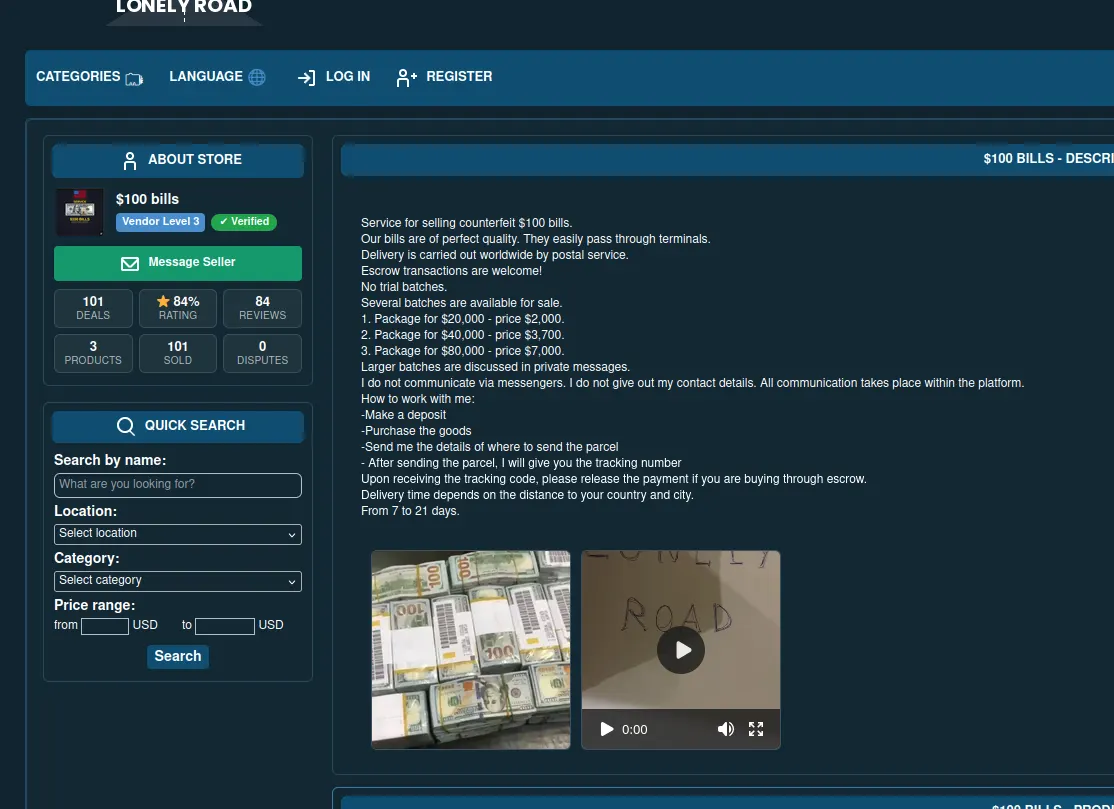
colorado man's dark web journey into counterfeit dollars
Explore Derek H.'s attempt to use fake money darknet purchases. Learn about the risks of counterfeit currency and bank detection.
Finding Dark Web Shops: A Safe Approach
Discover safe methods to find dark web shops. Learn tips for navigating markets and making secure purchases without risks.